
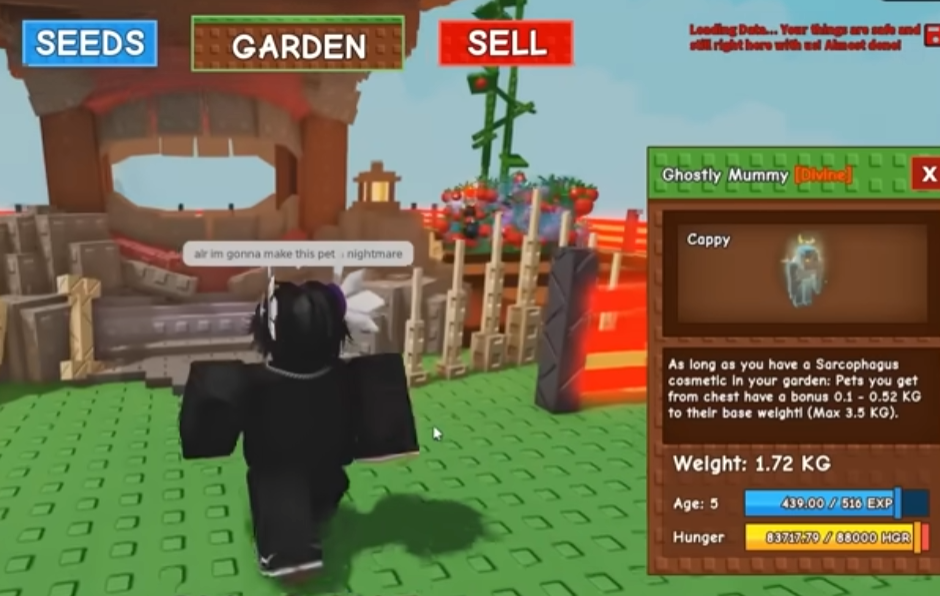
Grow A Garden looks simple on the surface, but once you get past the early stages, you start realizing how much your layout matters. The way you build paths between plots, tools, and helpers can dramatically change how fast you grow and how relaxed the game feels. After spending a lot of time experimenting, rebuilding, and sometimes messing things up, I want to share some practical tips on building high-efficiency paths that actually work during real gameplay.
Understanding What “Efficiency” Really Means Before placing a single path tile, it helps to think about what efficiency means in Grow A Garden. It is not just about walking faster. Efficiency is about reducing wasted movement, avoiding backtracking, and keeping everything you use often within easy reach. If you are constantly running across your garden just to collect or upgrade, your layout is slowing you down.
A good path system should let you move in smooth loops instead of straight lines that force you to turn around. When everything connects naturally, farming becomes almost automatic, which is especially important as your garden grows larger.
Start With a Simple Core Layout In the early game, it is tempting to spread out. You have space, and everything feels manageable. That is usually a mistake. Start by creating a small central hub where your most-used stations sit close together. This might include storage, upgrade points, and any crafting or boosting areas you visit frequently.
From this hub, build short paths outward to your planting areas. Think of it like a wheel, with the hub in the center and paths as spokes. This structure makes it easy to expand later without tearing everything apart. I learned this the hard way after rebuilding my entire garden more than once.
Plan for Expansion, Even If You Are Not There Yet One thing many players forget is planning for future growth. Even if you are early on, leave space between rows and avoid placing paths too tightly. Later upgrades often need more room, and squeezing them in can ruin an otherwise clean layout.
When you place paths, imagine how the area will look two or three upgrades from now. Will you still be able to move smoothly? Will you need to reroute everything? A little planning saves a lot of frustration.
Use Loops Instead of Dead Ends Dead ends are one of the biggest efficiency killers. Every time you walk into a corner and have to turn back, you lose time. Instead, try building circular or rectangular loops that let you keep moving forward.
For example, instead of a single straight path along crop rows, wrap the path around the entire block. This lets you harvest continuously without stopping. It also feels more satisfying, especially during longer farming sessions.
Pets and Movement Boosts Matter More Than You Think As you progress, movement speed and helper effects start playing a bigger role in path efficiency. Some pets interact better with certain layouts, especially those that trigger effects while moving or collecting.
At one point, I decided to buy grow a garden pets to test how different companions changed my daily routine. What surprised me was how much my path design suddenly mattered more. Faster movement made sharp turns and narrow paths feel awkward, while wider loops felt smooth and natural.
The takeaway here is simple. When you upgrade movement or helpers, revisit your paths. What worked before may no longer be optimal.
Avoid Overdecorating Key Routes Decorations are fun, but too many objects near main paths can visually clutter the screen and make navigation harder, especially for younger players. Keep your main routes clean and simple. Save decorations for corners or areas you do not visit as often.
Clear visibility helps you stay focused and reduces mistakes, like missing a harvest spot or walking the wrong way. Sometimes, less really is more.
Mid-Game Optimization: Shortcuts and Priority Paths Once your garden reaches mid-game size, you should start thinking about priority routes. These are the paths you use the most, such as routes between high-value crops and processing areas. Make these paths as short and wide as possible.
You can also add small shortcuts that connect major loops. These do not replace your main structure but give you flexibility when you are in a hurry. Just be careful not to create confusing intersections that slow you down instead.
Resource Management and Smart Upgrades Efficiency is not only about layout. It is also about how you spend your resources. Sometimes, upgrading tools or companions gives you a bigger efficiency boost than adding more paths.
I have seen players focus too much on expanding without improving what they already have. In some cases, looking for cheap grow a garden pets can be a practical way to improve efficiency without overcommitting resources. Better helpers can make even a simple path layout perform well.
Learning From the Community Grow A Garden has a surprisingly active player base, especially within the Roblox community. Watching how other players build their gardens can give you ideas you might not think of on your own. You do not need to copy anyone exactly, but noticing patterns helps you understand what works long-term.
I have picked up small layout tricks just by observing shared screenshots and gameplay clips. Even tiny changes can make your garden feel smoother.
A Quick Note on External Resources Some players explore third-party platforms like U4GM when looking into game-related options or comparisons. While everyone plays differently, it is always best to understand how in-game systems work first so you can make informed decisions that fit your own playstyle.
Common Mistakes to Avoid One common mistake is rebuilding too often. Constantly changing your layout can waste time and resources. Try to commit to a plan and only adjust when you unlock something that truly changes how you play.
Another mistake is ignoring path width. Narrow paths might look neat, but they often cause awkward movement, especially when speed increases. Give yourself room to move.
Keep It Fun and Flexible At the end of the day, efficiency should make the game more enjoyable, not stressful. If a layout feels good to use and saves you time, it is doing its job. Do not be afraid to tweak things slowly and learn from experience.